Burning Bandwidth and Burning Out Employees: The Hidden Energy Toll of Enterprise Video Infrastructure

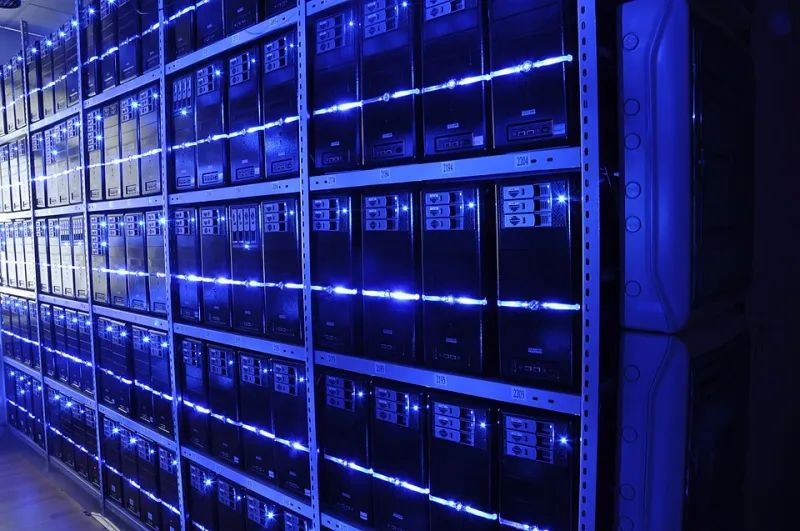
Photo: DERIGalway chanel at YouTube, CC BY 3.0, via Wikimedia Commons
For many US businesses, the shift to hybrid and remote work felt like a net win on the energy balance sheet. Fewer bodies in the office meant lower HVAC loads, reduced lighting demand, and smaller per-square-foot utility bills. What that calculation missed, however, was the enormous and largely invisible energy footprint that enterprise video conferencing infrastructure was quietly accumulating at the edge — inside home offices, across corporate endpoints, and deep within the data pipelines connecting them.
The result is a cost structure that most energy managers have never formally audited, and that most IT departments have never been asked to optimize. That gap is expensive.
The Watt Count Nobody Tracks
Consider a standard all-hands video call at a mid-sized US company: 200 employees dialing in, each running a laptop, an external monitor, a USB webcam, and possibly a secondary display. The endpoint energy consumption alone — before a single packet reaches a server — can exceed 20 kilowatts for the duration of that call. Scale that across daily standups, weekly reviews, client presentations, and training sessions, and the annual energy load becomes substantial.
What makes this particularly difficult to manage is that the consumption is distributed. Unlike a centralized data center load, which facilities teams can meter and benchmark, video conferencing energy is spread across hundreds or thousands of endpoints that no single dashboard is watching. It falls into a gap between IT asset management and energy management — owned by neither department, optimized by neither team.
Codec Inefficiency: The Engine Underneath the Waste
At the technical core of the problem is codec selection. Enterprise video platforms — including those used widely across US corporations — often default to settings that prioritize visual quality over computational efficiency. H.264 remains a common default despite the fact that newer codecs such as H.265 (HEVC) and AV1 can deliver equivalent or superior visual output at significantly lower bitrates, reducing both the processing burden on endpoint hardware and the energy required to sustain it.
The practical impact is measurable. A device encoding and decoding H.264 at 1080p may draw 15 to 25 percent more CPU-bound power than the same device running an optimized AV1 stream at comparable quality. Multiply that differential across an enterprise endpoint fleet, and the energy savings available from a simple codec policy update are not trivial.
Yet most organizations have never reviewed their video platform's codec configuration. It ships with a default, and the default stays.
Screen Sharing as an Unmanaged Energy Event
Screen sharing is another underexamined contributor. When an employee shares their full desktop — rather than a single application window — the video platform must capture, compress, and transmit a significantly larger and more complex data stream. This increases GPU and CPU utilization on the sharing device, raises the bitrate demand on the receiving end, and extends the processing load on any intermediary relay servers.
In environments where screen sharing is used loosely and frequently, this behavior can represent a meaningful and entirely avoidable energy overhead. A policy that encourages or enforces application-window sharing over full-desktop sharing costs nothing to implement and delivers measurable efficiency gains across the fleet.
The Employee Experience Connection
Here is where the energy story intersects with talent retention in ways that business leaders should find compelling. Poorly optimized video infrastructure does not just waste electricity — it degrades call quality, introduces latency, and forces employees to work around technical friction that accumulates into genuine frustration.
Research consistently shows that meeting fatigue is a significant driver of disengagement among remote and hybrid workers in the US. While much of that fatigue is attributed to meeting volume, a meaningful portion is caused by the cognitive load of managing poor audio-video quality, frozen screens, and dropped connections. These are often symptoms of the same underlying inefficiencies that drive up energy consumption: overtaxed endpoints, poorly configured codecs, and unmanaged bandwidth contention.
Optimizing your video infrastructure for energy efficiency and optimizing it for employee experience are, in most cases, the same project.
A Practical Audit Framework
Organizations ready to address this problem should begin with a structured audit across four dimensions.
Endpoint inventory and power profiling. Catalog the hardware in use across your video-conferencing workforce. Identify which device categories draw the most power under active video load and prioritize optimization efforts accordingly. Devices running integrated graphics with no hardware video acceleration are typically the worst offenders.
Platform codec and quality settings review. Work with your video platform vendor to understand what codec options are available and what the default configuration delivers. Document the gap between your current settings and the most energy-efficient options that still meet your quality standards.
Screen-sharing and camera policy assessment. Audit how screen sharing is being used across your organization. Determine whether full-desktop sharing is the norm and whether camera-always-on policies are enforced in contexts where they add no communicative value. Both practices carry energy costs that policy changes can reduce.
Network architecture and relay server load review. For organizations running self-hosted or hybrid video infrastructure, examine whether relay server configurations are optimized for efficient packet routing. Unnecessary relay hops increase latency and energy consumption simultaneously.
Moving from Audit to Action
The findings from this audit will vary by organization, but the pattern is consistent: most enterprises are carrying a 15 to 30 percent energy overhead in their video infrastructure that is addressable without any meaningful reduction in communication quality.
The corrective measures — codec updates, screen-sharing policies, endpoint refresh prioritization, and network path optimization — are not technically complex. What they require is organizational will: specifically, the willingness to treat video infrastructure as an energy system and to hold someone accountable for its efficiency.
At NRGKomm, we argue that the communications stack and the energy management function belong in the same conversation. Video conferencing infrastructure is one of the clearest examples of why. The watts are there. The waste is measurable. The fix is within reach.